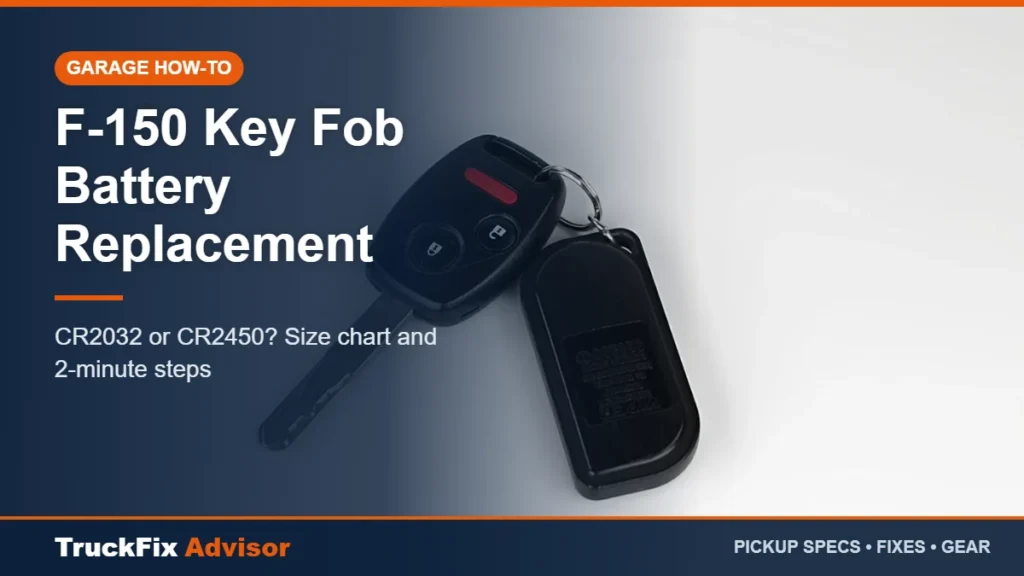

Most Ford F-150 flip keys and integrated key remotes use a CR2032 coin battery. Most push-button-start (Intelligent Access) fobs from 2018 on use a single CR2450, while some earlier 2015–2017 Intelligent Access fobs used two CR2025 cells. The fastest way to be sure is to open the fob and read the number printed on the old battery. Replacing it takes about two minutes, and you do not need to reprogram the fob afterward.
This guide is part of our Ford F-150 Owner’s Guide, with every key spec and common fix in one place.
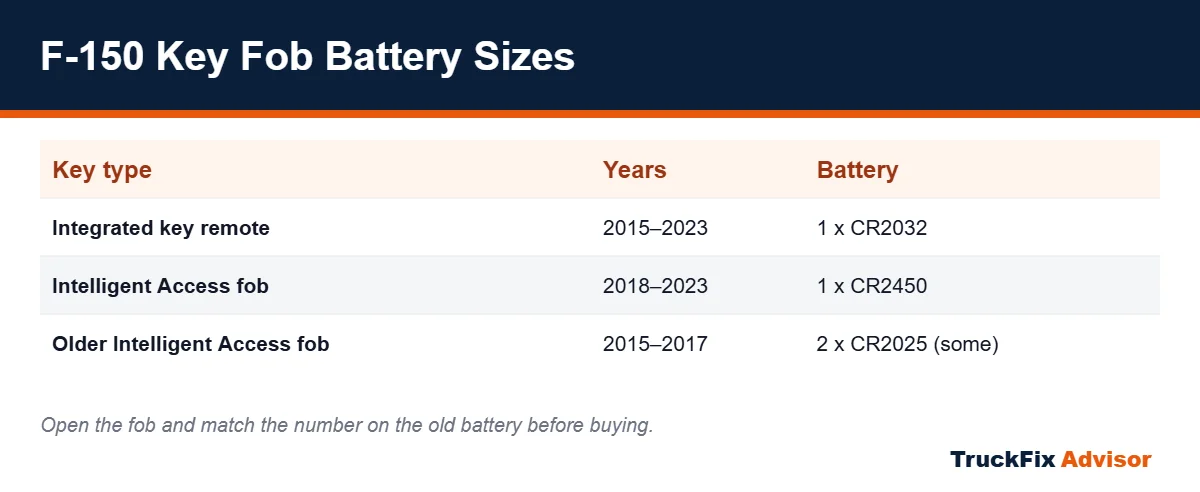
F-150 Key Fob Battery Chart
| Key type | Years | Battery |
|---|---|---|
| Integrated key remote (key blade with buttons) | 2015–2023 | 1 x CR2032 |
| Intelligent Access fob (push-button start) | 2018–2023 | 1 x CR2450 |
| Older Intelligent Access fob (dual-cell design) | 2015–2017 | 2 x CR2025 (some listings) |
Battery listings for 2015–2017 do not all agree, and Ford has used more than one fob design. Open your fob and match the number on the old battery before you buy.
Signs Your F-150 Key Fob Battery Is Low
- A low key battery message appears in the instrument cluster.
- You have to stand closer to the truck for lock and unlock to work.
- Buttons work only some of the time.
- On push-button trucks, the truck has trouble detecting the key when you press START.
How to Replace the Battery: Integrated Key Remote (CR2032)
- Press the button on the key to fold out the key blade.
- Insert a small flat screwdriver in the slot on the back and gently push the clip to release the battery cover.
- Lift off the cover.
- Use the screwdriver to gently pop out the old battery. Do not touch the circuit board with the screwdriver.
- Note which side faces up, then insert the new CR2032 the same way.
- Snap the cover back on and test the buttons.
How to Replace the Battery: Intelligent Access Fob (CR2450)
- Press the release on the fob and slide out the emergency key blade.
- Insert a coin or small flat screwdriver into the slot exposed by the key blade and twist gently to separate the cover.
- Remove the old CR2450. Note which side faces up.
- Insert the new battery with the same side up.
- Snap the cover back on, reinsert the key blade and test the fob.
On older dual-cell fobs, the two CR2025 batteries sit stacked with a label or spacer between them. Note how they are arranged before removing them and put the new ones in exactly the same way.
Do Not Mix Up CR2032, CR2025 and CR2450
CR2032 and CR2025 are the same 20 mm width but different thicknesses (3.2 mm vs 2.5 mm), so one is not a drop-in replacement for the other. A CR2450 is larger (24.5 mm wide, 5.0 mm thick). The first two digits are the width in millimeters and the last two are the thickness in tenths of a millimeter.
What If the Fob Is Dead and the Truck Won’t Start?
Push-button F-150s have a backup method for starting with a dead fob. The emergency key blade unlocks the driver door. Then the fob is placed in a backup position (the exact location depends on your year, such as a spot in the center console or near the steering column) so the truck can read it, and you press the brake and START. Your owner’s manual shows the backup location for your truck.
Frequently Asked Questions
What battery does a Ford F-150 key fob take?
Most integrated key remotes use a CR2032. Most 2018 and newer push-button Intelligent Access fobs use a CR2450. Some 2015–2017 Intelligent Access fobs used two CR2025 batteries. Check the old battery to confirm.
Do I need to reprogram my F-150 key fob after changing the battery?
No. Replacing the battery does not erase the fob from the truck. It should work right away.
How long does an F-150 key fob battery last?
Usually two to four years, depending on how often you use the fob and the temperatures it sees. Push-button fobs tend to drain faster because they constantly communicate with the truck.
Can I start my F-150 with a dead key fob?
Yes. Use the emergency key blade to get in, then place the fob in the backup position shown in your owner’s manual and press the brake and START.
Related: If the truck itself has electrical trouble, see our F-150 battery size guide.
More F-150 guides: F-150 battery size · F-150 tailgate won’t open · Complete F-150 owner’s guide
Key designs vary by year and trim. Always confirm the battery type printed on your old battery and follow the steps in your owner’s manual.